Dusk connects to Google Classroom and Canvas, grades how hard each assignment is, and builds it into your week automatically — around practice, sports, and sleep.
Free to join · iPhone & Android · No spam
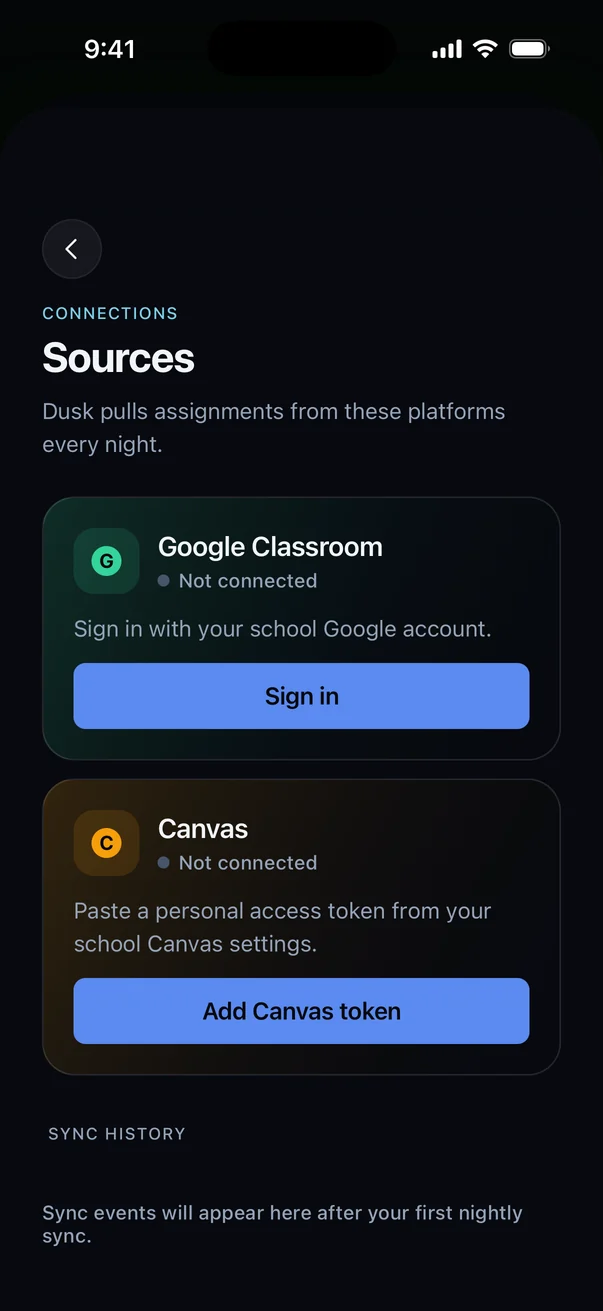
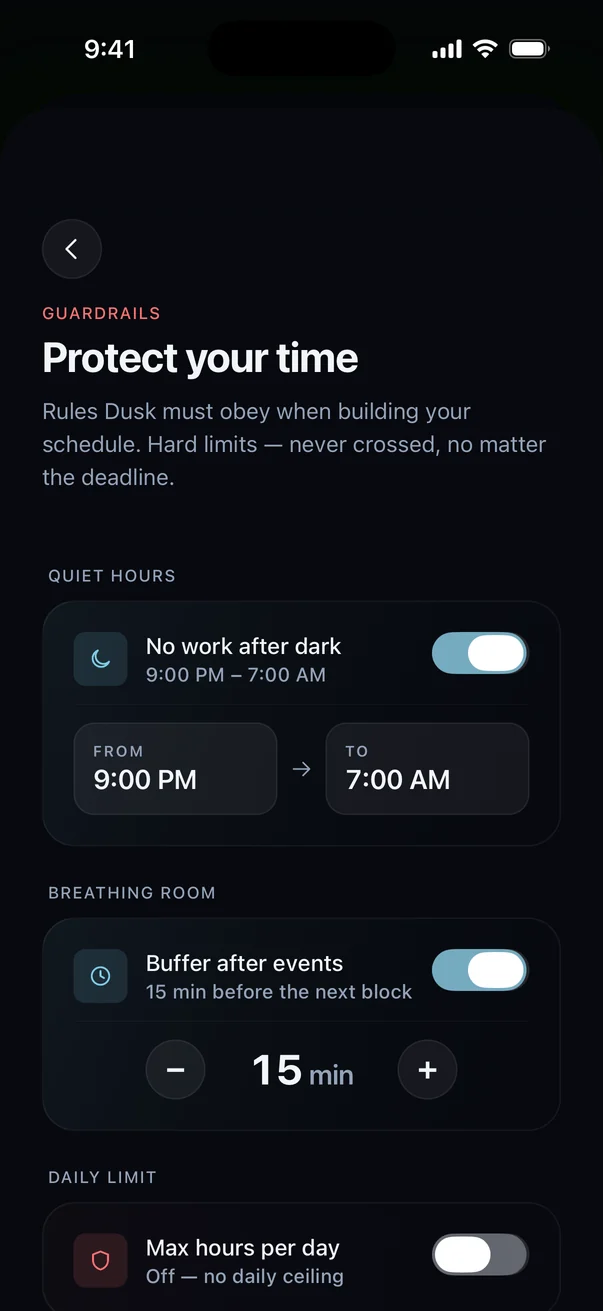
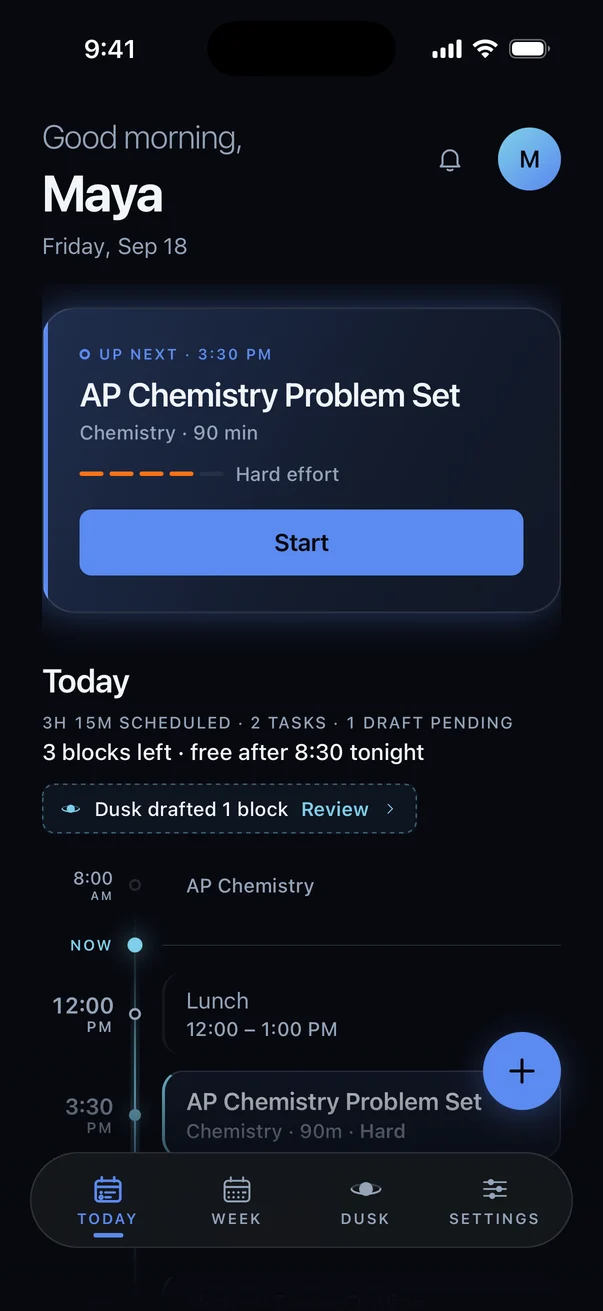
Every to-do app assumes you already know what to do and when. Homework doesn't work like that.
— The assumption every planner app is built on. Dusk is built on the opposite.
Built to run your week, not just log it.
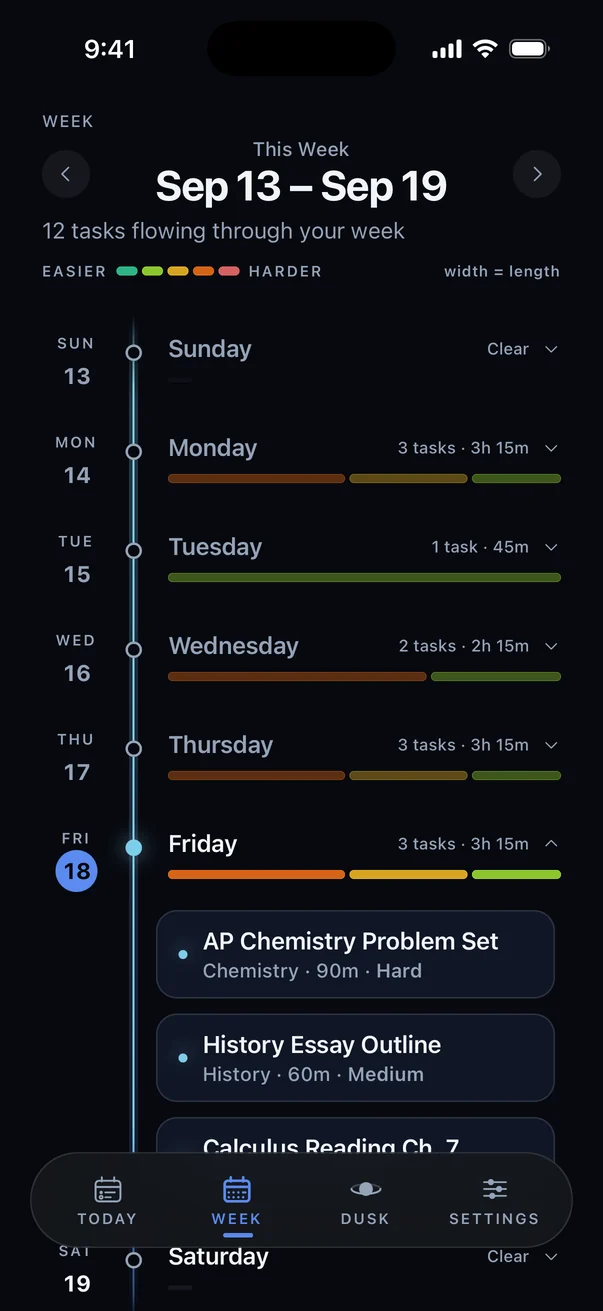
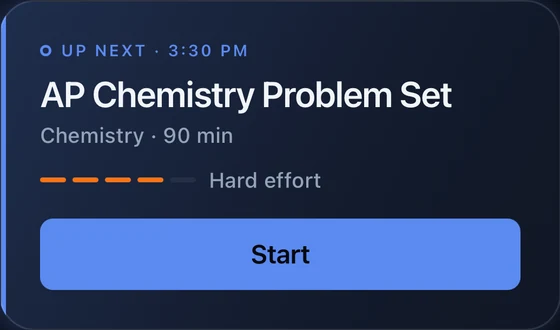
This is a real week in Dusk. Every assignment lands on a day, every day shows how heavy it is at a glance, and the hard stuff gets spread out before it piles up on Thursday night.
Pulls your assignments automatically
Dusk connects to Google Classroom and Canvas, so new homework enters your schedule the moment it’s posted — no manual entry.
Grades the real difficulty
Not every assignment is the same size. Dusk estimates how long each one actually takes, so your night reflects reality.
Fits around your life
Classes, practice, sports, meals, sleep — Dusk schedules homework into the time that’s actually free.
Re-plans every night
New assignments show up while you sleep. Dusk re-plans your week each night so you always start the day with a working schedule.
Three steps. Then it runs every night.
Connect Classroom or Canvas
Sign in once. Dusk pulls your assignments automatically from then on — no manual entry, no re-checking every class page.
Add your fixed events
Classes, practice, sports, meals, sleep. Tell Dusk once what your week already looks like — it schedules homework around it.
Get a working night, every night
Dusk grades each assignment and slots it into real free time. Re-plans automatically as new homework comes in.
You stay in charge. Dusk does the busywork.
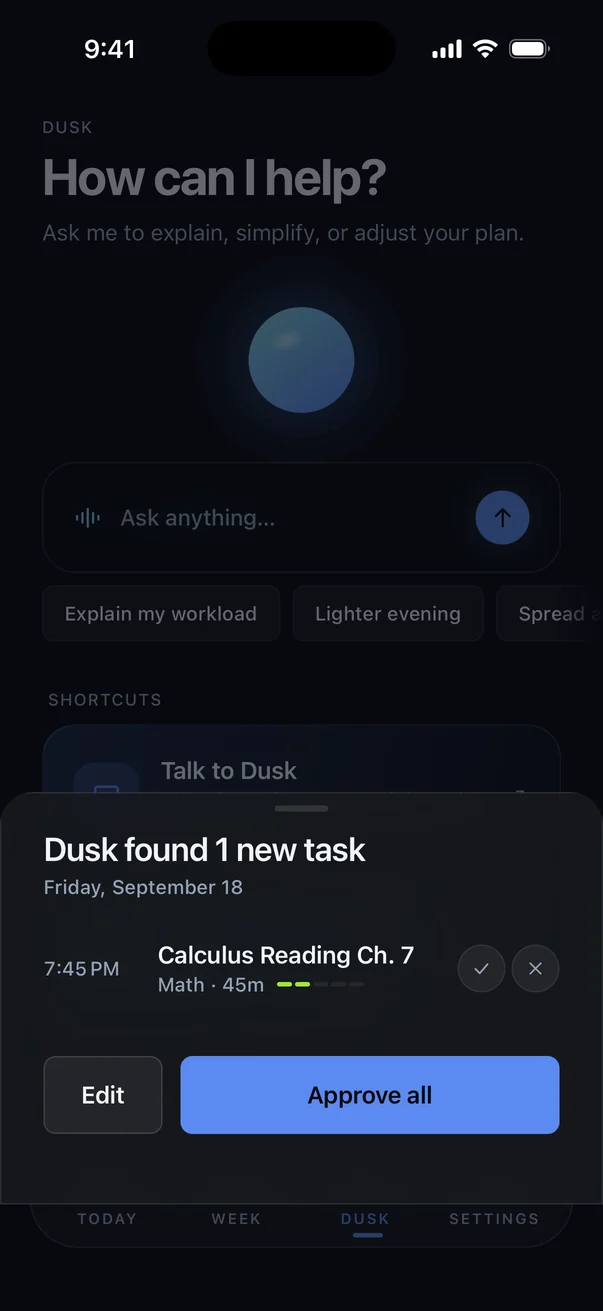
New homework shows up as a draft. Approve it in one tap, or edit it first. Your calendar never changes behind your back.
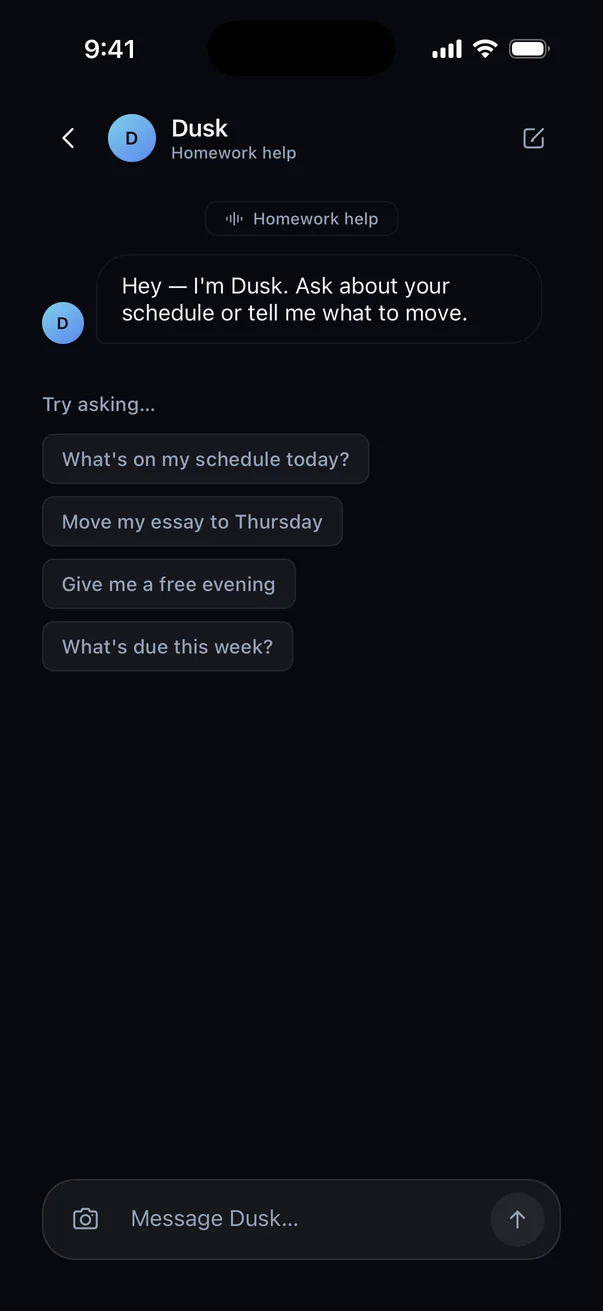
“Move my essay to Thursday.” “Give me a free evening.” Dusk reworks the plan and shows you before anything changes.
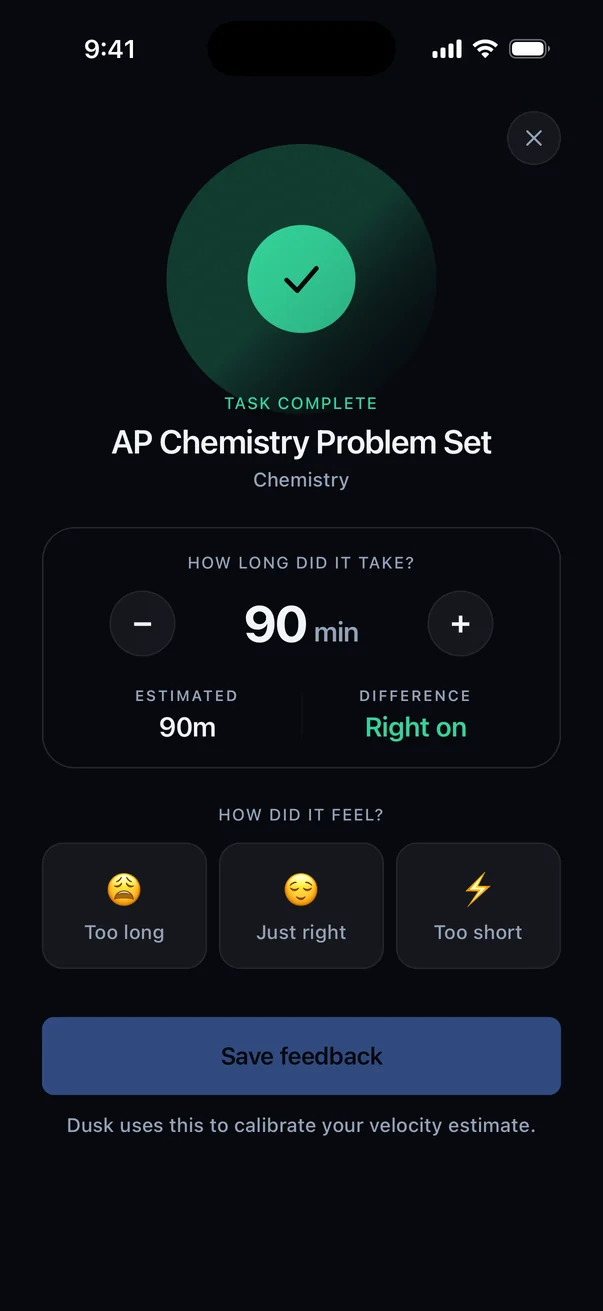
Finish a task and tell Dusk how long it really took. Its estimates get closer to how you actually work, week by week.
A to-do list tells you what’s due. Dusk tells you when.
| Dusk | Google Calendar alone | A to-do list app | A paper planner | |
|---|---|---|---|---|
| Pulls assignments from Classroom/Canvas automatically | ✓ | ✗ | ✗ | ✗ |
| Grades how hard each assignment actually is | ✓ | ✗ | ✗ | ✗ |
| Schedules around classes, practice, and sleep | ✓ | partial | ✗ | ✗ |
| Re-plans automatically as new homework comes in | ✓ | ✗ | ✗ | ✗ |
| Snap a photo of a paper assignment to schedule it | ✓ | ✗ | ✗ | ✗ |
| Free to try | ✓ | ✓ | partial | ✗ |
A planner only works if you keep updating it. Dusk updates itself — every night, automatically.
Add homework. Watch Dusk find where it fits.
This is a simplified stand-in for Dusk’s scheduling logic, running right here in your browser — no account, no data sent anywhere. Soccer practice and dinner are already fixed. Add a task and rebuild the plan.
One app, three people trusting it with something.
Connect Classroom or Canvas once. Dusk pulls what’s due, figures out how hard it is, and slots it into your actual evening — around practice, dinner, and everything else already on your calendar.
No ad SDKs, no selling data, no reading anything beyond the assignments a class platform already exposes. See exactly what’s collected and how to request or delete it.
Read the data pageStudents can connect their own account today with no school involvement. If your district wants a formal data-sharing agreement first — audit rights, deletion on request — we’ll set one up before anyone connects.
For administratorsYour calendar should do the homework. Now it can.
Join the waitlist for early access. Bring three friends and founding member pricing is locked in for good.
Free to join · iPhone & Android · No spam
The fastest way in is to bring people with you.
Dusk opens in groups, smallest first. Every friend who joins on your link moves you into an earlier one — and the people you bring are the ones you're comparing schedules with anyway.
You get your link the second you join — no extra sign-up, nothing to install.
Get my link